Download Agenda Edu SuperApp free on android
APK file Agenda Edu 8.0.301How to install APK / APKS / OBB file on Android
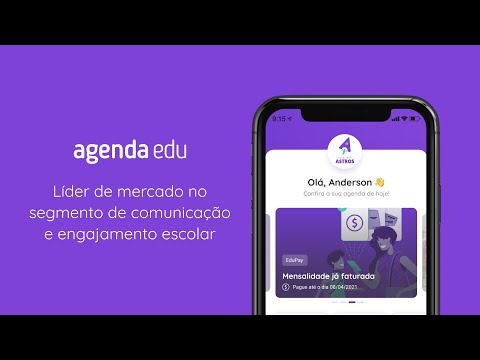


We are the SuperApp for Education: communication and payments all in one place.
More than 3,500 schools and 4 million people already experience the school journey connected through the Agenda Edu SuperApp, with over R1 billion securely transacted through the platform.
The school sends class diaries, subject-specific activities, announcements, event calendars, photos, and documents, and your family can follow everything in real time, directly from their cell phone screen.
Communicate with the school through Messaging Channels and resolve organized requests through Customer Service Channels, with defined response times and satisfaction indicators for each completed service.
PAYMENTS THAT KEEP THE SCHOOL ALWAYS UP TO DATE
Enroll and pay your tuition directly in the app, via Pix, bank slip, credit or debit card. You can also use native digital wallets such as Apple Pay, Google Pay, and Click to Pay — an exclusive feature of the SuperApp — with legal and transaction security.
Take advantage of the best rates in the educational market to purchase school products and services directly through the app.
SECURITY AND COMPLIANCE
Your data is processed in accordance with the LGPD (Brazilian General Data Protection Law), with an auditable history, and we follow the guidelines of the ECA Digital (Brazilian Statute of Children and Adolescents), with privacy by default for children and adolescents.
The SuperApp only works for schools partnered with Agenda Edu. If your school does not yet use the platform, visit www.agendaedu.com and register.
Questions or suggestions? Write to suporte@agendaedu.com or contact us via WhatsApp (11) 40402998.
Follow Agenda Edu and check out our blog:
Facebook: https://www.facebook.com/agendaedu/
Instagram: https://www.instagram.com/agendaedu/
Blog: https://jornadaedu.com.
- LicenseFree
- File nameAgenda Edu
- File Version8.0.301
- Package namecom.agendakidsdigital.app
- Size44.67 MB
- UploadedSeptember 11, 2026
- Android7.0 or later

- CategoryEducation
- DeveloperAgenda Edu S.A
- Developer sitehttp://www.agendaedu.com
- Developer emailcontato@agendaedu.com
- md5 hash711d569b5ef37b22bdfa66fe2df76d07
- Architecture-
- Permissionsshow (19)
